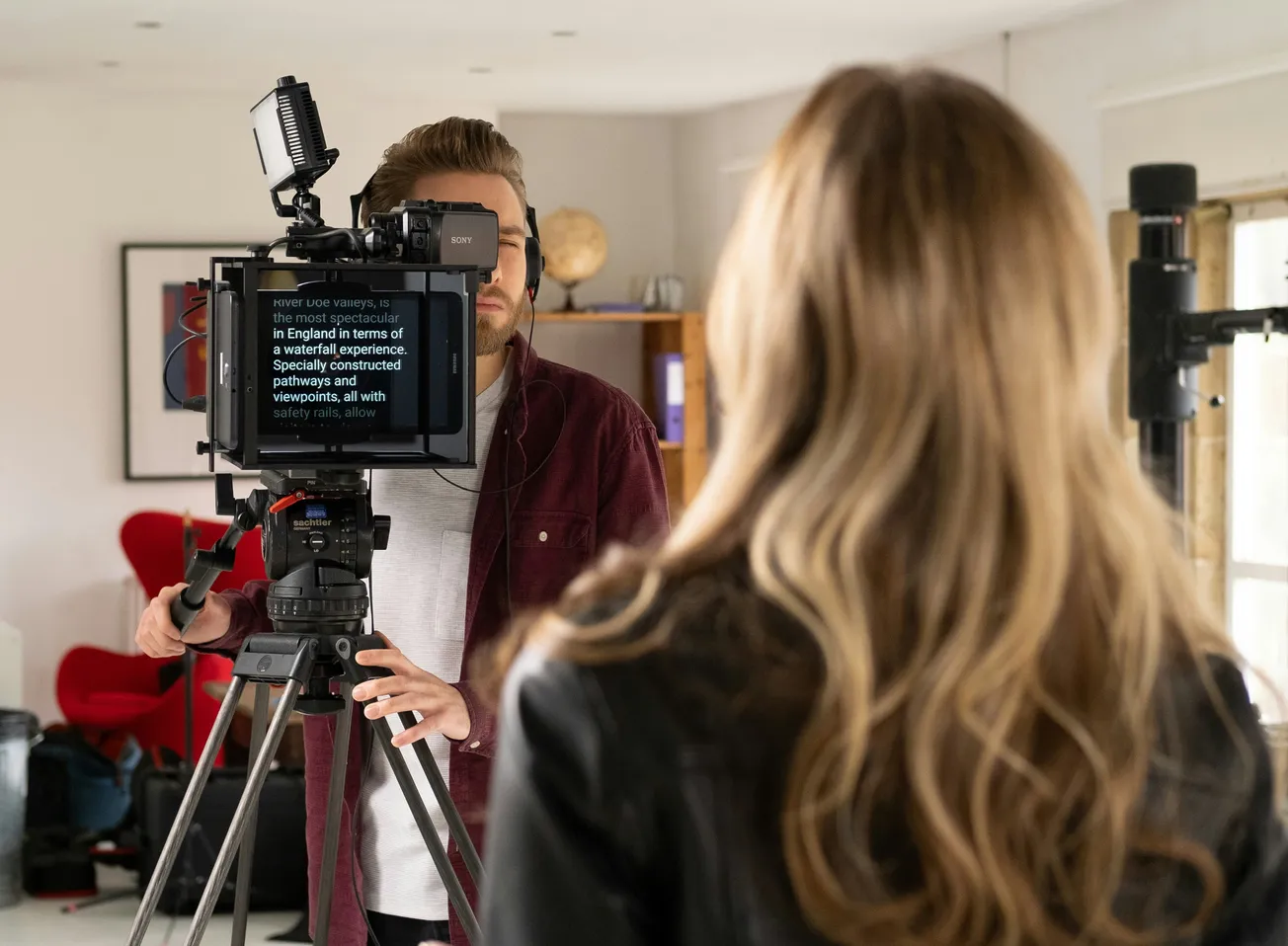
The Challenge of the Digital Script
The teleprompter is one of the most powerful tools in a creator’s arsenal, yet it is also one of the most difficult to master. While it eliminates the stress of memorizing long scripts, it often introduces a new problem: the "robotic" delivery. When a presenter’s eyes dart back and forth or their tone becomes monotone, the connection with the audience is severed, and brand authority is diminished.
In 2026, as video continues to dominate business communication and marketing, the ability to use a teleprompter naturally is a high-value skill. Achieving this requires a combination of proper hardware configuration, specific script formatting, and a shift in performance technique. This guide provides actionable strategies to ensure your next recorded session feels like a genuine conversation rather than a recital.
Optimizing Hardware for Eye-Line Consistency
The most common sign of teleprompter use is visible eye movement. To minimize this, the physical distance between the subject and the camera is critical. The further the presenter stands from the lens, the less noticeable their eye tracking becomes. Industry standards from Ikan International suggest a viewing distance of 9 to 12 feet, which allows the eyes to cover the text without shifting noticeably within the frame.
Additionally, the software configuration can assist in maintaining a centered gaze. By narrowing the text margins in your teleprompter app, you force the words into a slim column directly in the center of the glass. This ensures that the eyes stay aligned with the camera lens, creating the illusion of direct, unwavering eye contact with the viewer.
Scripting for the Ear, Not the Eye
A common mistake is reading a script that was written as a formal document. Written language is often too complex and rigid for natural speech. To sound authentic, scripts should utilize contractions (e.g., "you're" instead of "you are") and shorter, broadcast-style sentences. As noted by Padcaster, paragraph breaks should occur every one to two sentences to help the speaker track their place without losing focus.
Formatting also plays a role in pacing. Using ellipses (...) or em-dashes (—) can signal natural pauses and transitions, preventing the speaker from rushing through the text. In 2026, many professionals also include "breath markers" or phonetic spellings for difficult names directly in the script to avoid mid-take stumbles that disrupt the flow of delivery.
Leveraging AI and Voice-Activated Scrolling
The traditional method of setting a fixed scroll speed often leads to "racing" the prompter, which causes visible anxiety on camera. Modern software solutions have moved toward Voice-Activated Scrolling (VAS). Apps like PromptSmart and Teleprompter.com use speech recognition to follow the speaker’s voice in real-time. If the speaker pauses to emphasize a point or goes off-script to improvise, the prompter stops and waits for them to resume.
This technology allows for a much more varied and natural cadence. Instead of maintaining a mechanical rhythm, the presenter can slow down for complex ideas and speed up for high-energy segments. This "dynamic pacing" is the hallmark of professional broadcast delivery and is essential for maintaining viewer engagement in educational or marketing content.
Performance Techniques: The "Plus 10%" Rule
Even with perfect hardware and software, the final result depends on the presenter's energy. Reading inherently lowers a person’s natural energy level, often resulting in a flat performance. A common industry technique is to "be yourself plus 10%." This involves slightly exaggerating facial expressions and hand gestures to compensate for the flattening effect of the camera.
Physical comfort also impacts delivery. Standing rather than sitting can lead to better breath support and a more authoritative presence. By focusing on the camera lens behind the glass—rather than the words themselves—the presenter can project a sense of genuine connection. When combined with modern AI tools and strategic formatting, these techniques ensure that the teleprompter remains an invisible assistant rather than a visible distraction.
More about recording:
 Staff Report
 Staff Report
 Staff Report