
Integrating Professional Displays into Creative Workflows
Visual accuracy is a non-negotiable requirement for video editors, colorists, and digital creators. As production standards for streaming and social media continue to rise, the hardware used to monitor and refine content must keep pace.
The Apple Studio Display has positioned itself as a primary solution for users within the macOS ecosystem, offering a blend of high-resolution imagery and integrated hardware features. For small businesses and independent creators, selecting a monitor is about more than just screen size; it is about ensuring the final output matches the creative vision across all viewing platforms.
Technical Specifications for Color Accuracy and Clarity
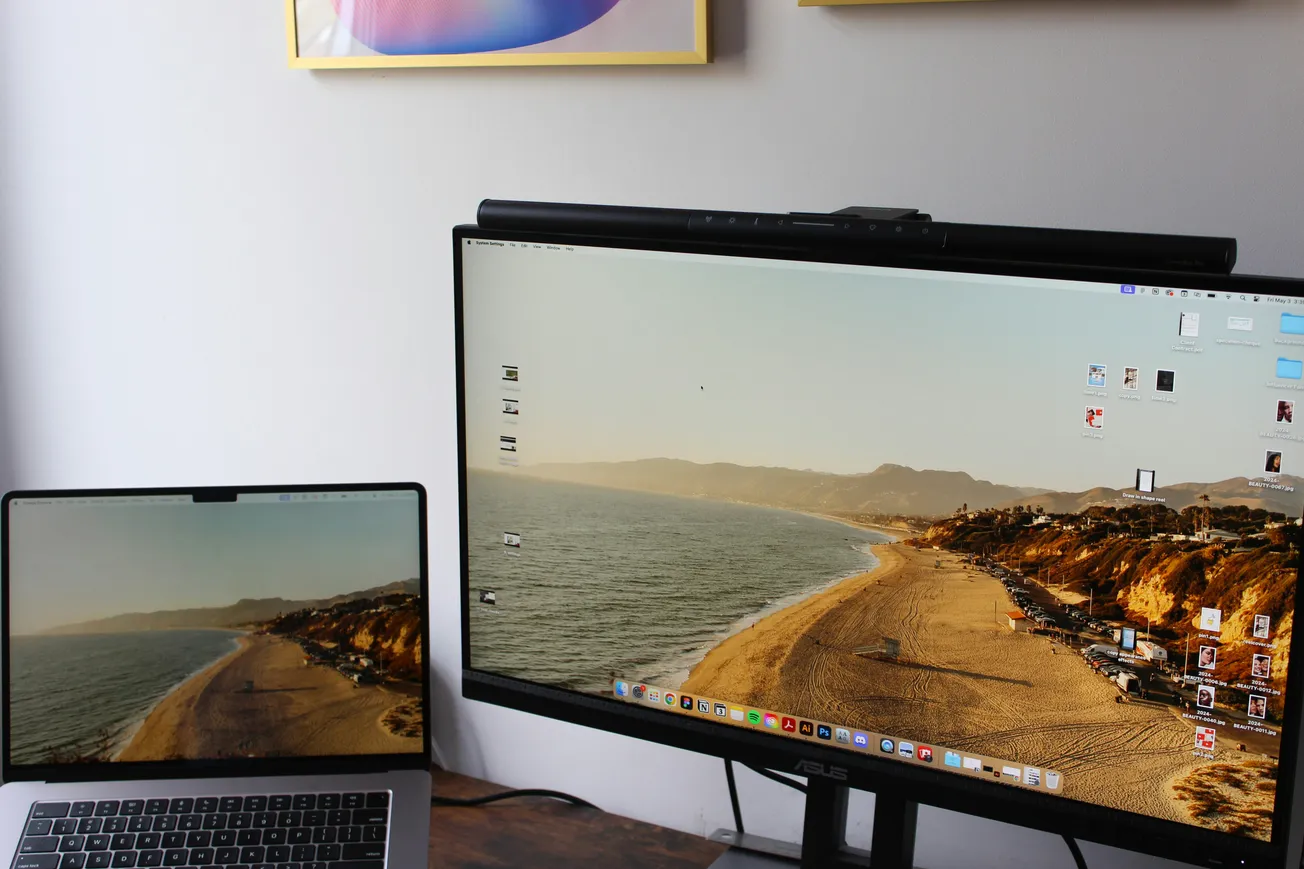
The core of the Studio Display is its 27-inch 5K Retina panel, which provides a high level of pixel density. This resolution is particularly beneficial for video editors who need to view 4K footage at full scale while still having room for editing software interface elements like timelines and effects controls. With 600 nits of brightness and support for the P3 wide color gamut, the display ensures that color grading remains consistent and vibrant.
According to technical reviews from No Film School, the inclusion of Apple's True Tone technology and an optional nano-texture glass coating helps manage ambient light and glare in various studio environments. For creators working in home offices or rooms with uncontrolled lighting, these features reduce eye strain and improve the accuracy of visual assessments. Maintaining this level of consistency is essential for building brand authority through high-quality video production.
Integrated Audio and Communication Tools
Beyond its visual capabilities, the Studio Display incorporates a suite of audio and communication hardware intended to reduce desk clutter and eliminate friction. It features a six-speaker sound system with four force-canceling woofers and two high-performance tweeters. This setup supports Spatial Audio, providing a broad soundstage for initial audio checks and content consumption. While professional mixing still requires dedicated studio monitors or headphones, the integrated system offers a reliable baseline for general editing tasks.
The display also includes a studio-quality three-microphone array with a high signal-to-noise ratio and directional beamforming. This hardware is designed to capture clear audio for video conferencing, internal team communication, and scratch-track recordings. For educators or content teams who frequently participate in remote collaborations, having integrated, high-quality audio tools simplifies the setup process and ensures professional-sounding communication without the need for additional external peripherals.
Connectivity and Peripheral Management
Efficiency in a production environment often depends on how easily various tools can be connected and managed. The Studio Display features a single Thunderbolt 3 port that connects to a Mac and provides up to 96W of power delivery, which is sufficient to charge a MacBook Pro. Additionally, three USB-C ports allow for the connection of high-speed external drives, audio interfaces, or other production accessories.
This hub-like functionality is a significant advantage for creators who need to move between locations or maintain a clean, organized workspace. By serving as a central connection point, the monitor reduces the number of cables required on the desk, allowing the creator to focus more on the storytelling process and less on hardware management. As noted in the PodcastVideos.com guide on studio setup, reducing technical friction is key to maintaining a consistent production schedule.
Selecting the Right Hardware for Production Goals
Choosing between the Studio Display and higher-end options like the Pro Display XDR depends largely on the specific needs and budget of the production team. For most podcasters, YouTubers, and small business marketing teams, the 5K resolution and integrated features of the Studio Display offer a balanced investment. It provides the professional-grade performance needed for high-quality output without the extreme cost associated with reference-level grading monitors.
Investing in reliable monitoring hardware is a foundational step in scaling a media brand. When creators can see and hear their work with high fidelity, they are better equipped to identify and correct errors before publishing. This attention to detail results in more polished content that resonates with audiences and establishes the creator as a trusted source of information.
Staying informed on hardware trends allows businesses to build production environments that are both effective and scalable for future growth.
More about Apple:
 Staff Report
 Staff Report
 Staff Report